Know your true cost. Price with confidence.
COGsuite turns what you pay for materials and packaging into a true cost for every product, shows your margin in every sales channel, and flags the prices that fall below target when your costs go up.
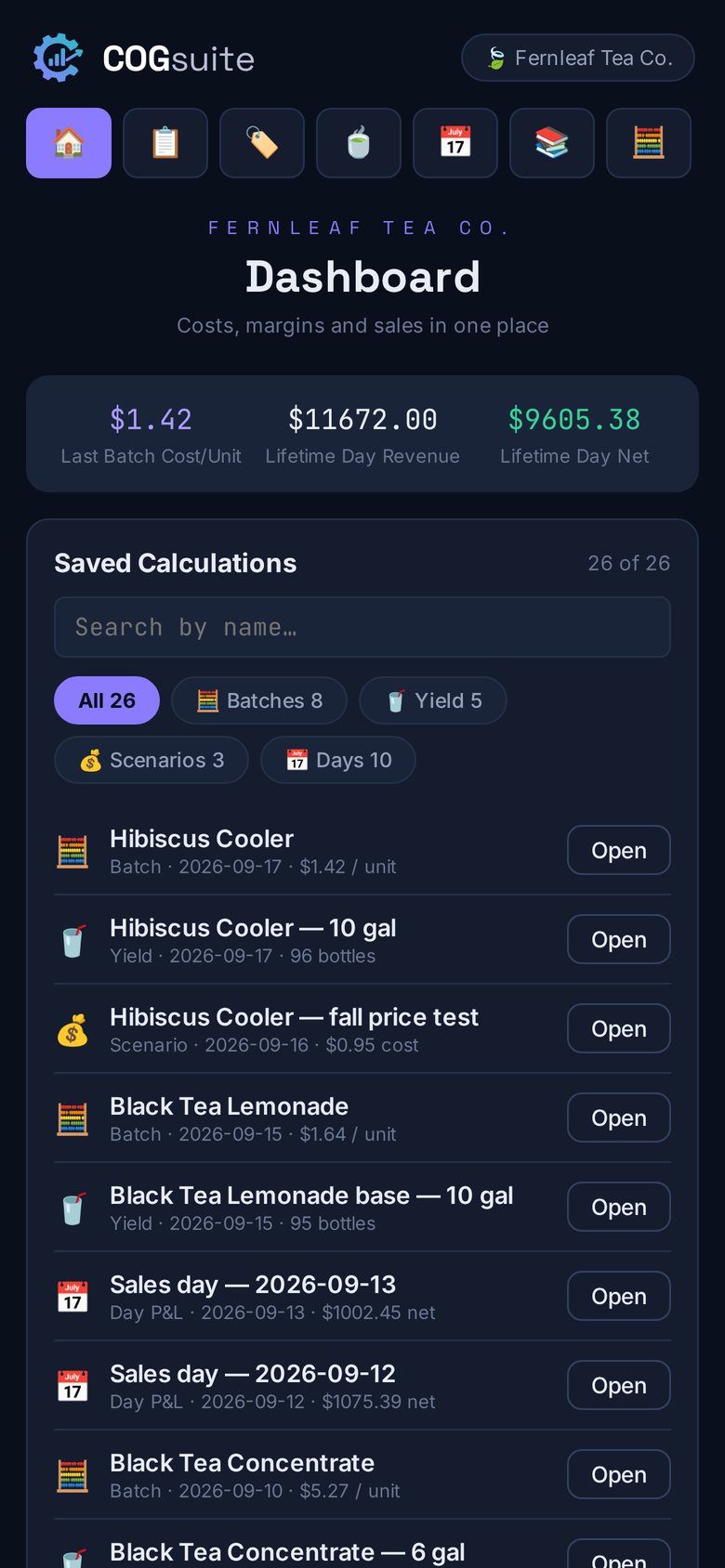
Pricing without your true cost is a guess.
Setting a price isn't the hard part. Knowing the numbers underneath it is.
Scattered costs
Supplier invoices, freight, packaging and labor live in different places, so cost per unit is often an estimate.
One price, many channels
A price that's profitable at retail can lose money at wholesale. Each channel needs its own margin check.
Hidden increases
You see the new invoice, but not which products it affects — or what they should sell for now.
Late answers
Without per-product numbers, you find out what a month earned after it's already over.
From what you buy to what you earn.
Set up your costs and products once. After that, every price has a margin check.
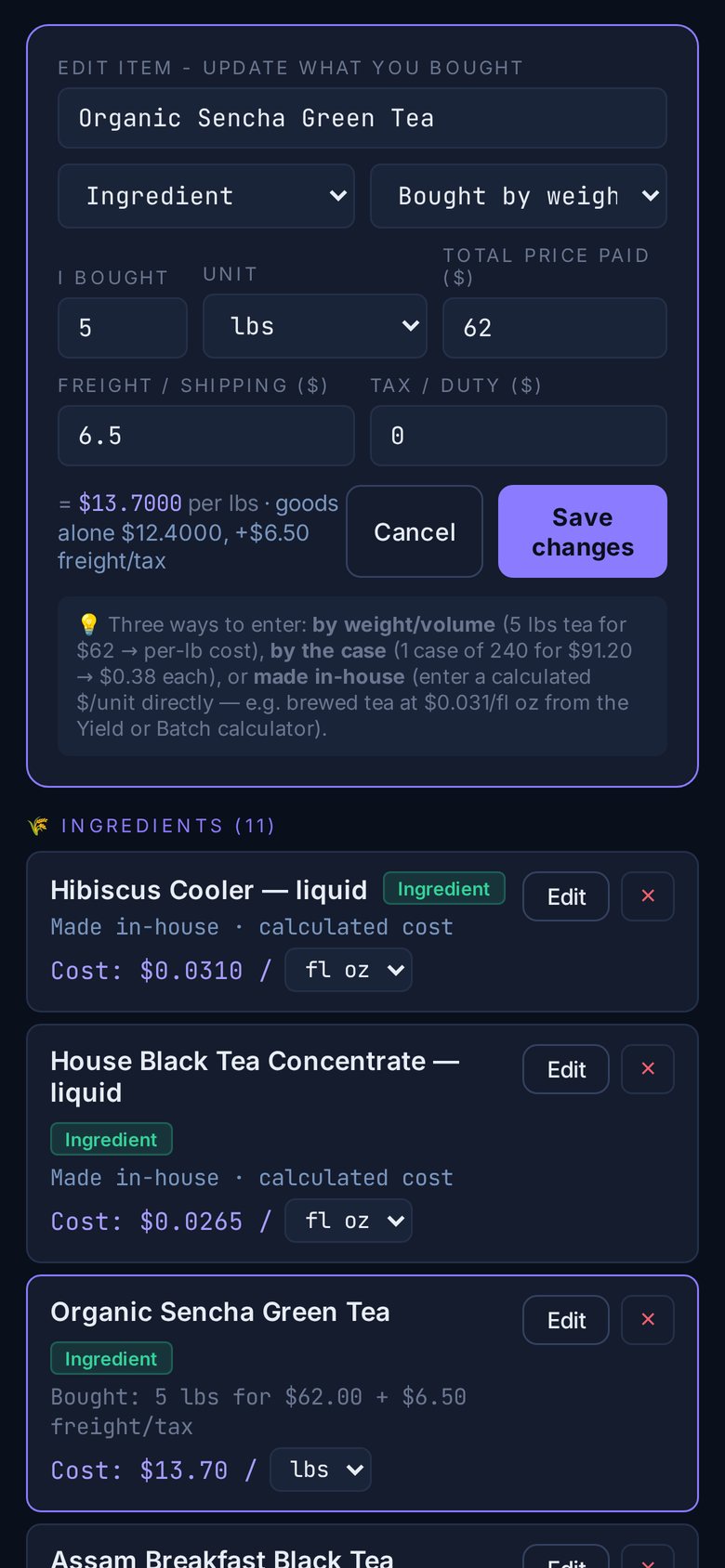
Add what you buy
Enter purchases by weight, volume, the case, or made in-house. Add freight and tax, and they're built into the unit cost.
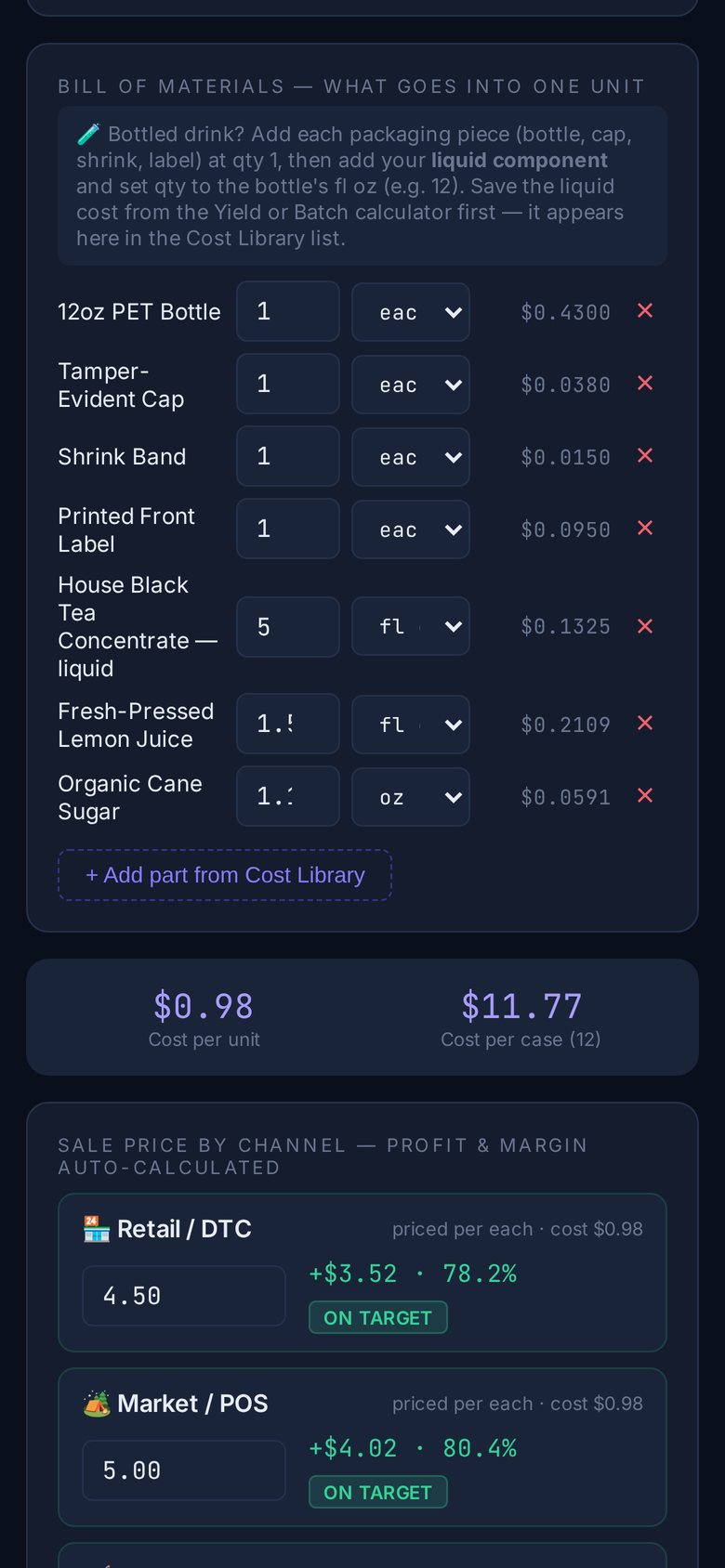
Build your products
Combine materials and packaging into a bill of materials. Unit and case cost add up automatically.
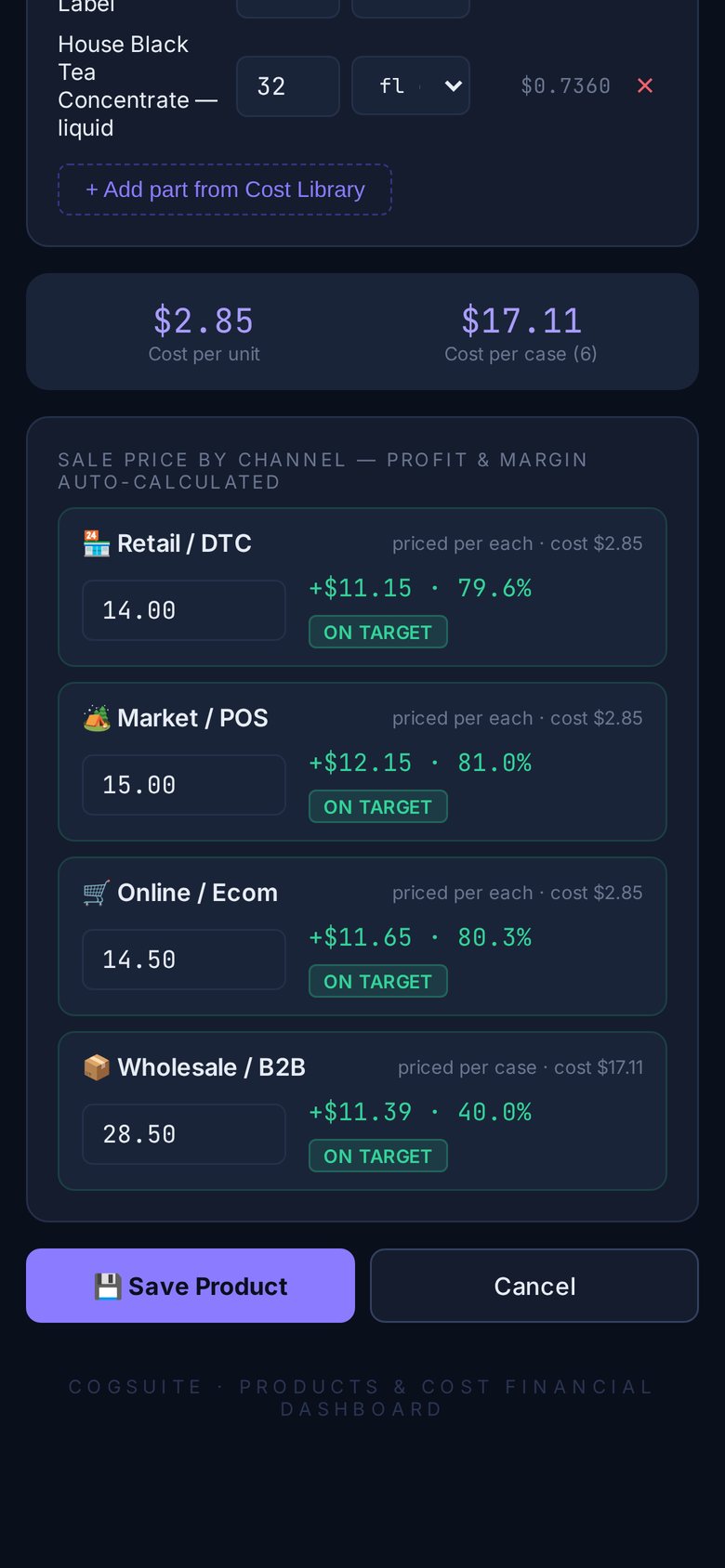
Price every channel
Set prices for retail, markets, online and wholesale. Each shows its profit and margin against your target.
When a cost changes, update it once. Every product that falls below its target margin is flagged — with the price that brings it back.
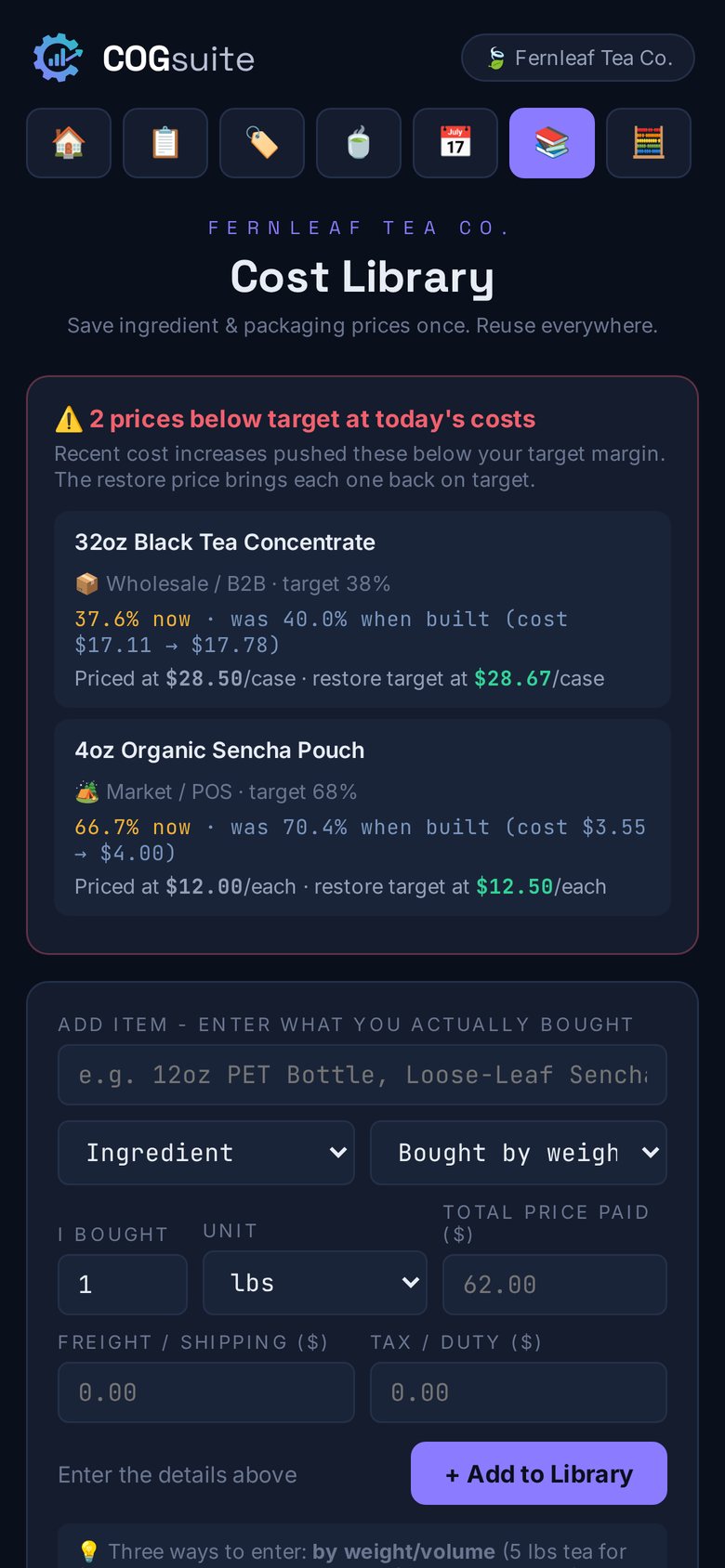
When costs go up, know exactly which prices to change.
Update a material's cost once. COGsuite checks every product that uses it and lists each one that fell below its target margin — with the price that restores the target.
- Margin now vs. when the product was built
- A restore price for each affected channel
- Recalculated the moment you save a new cost
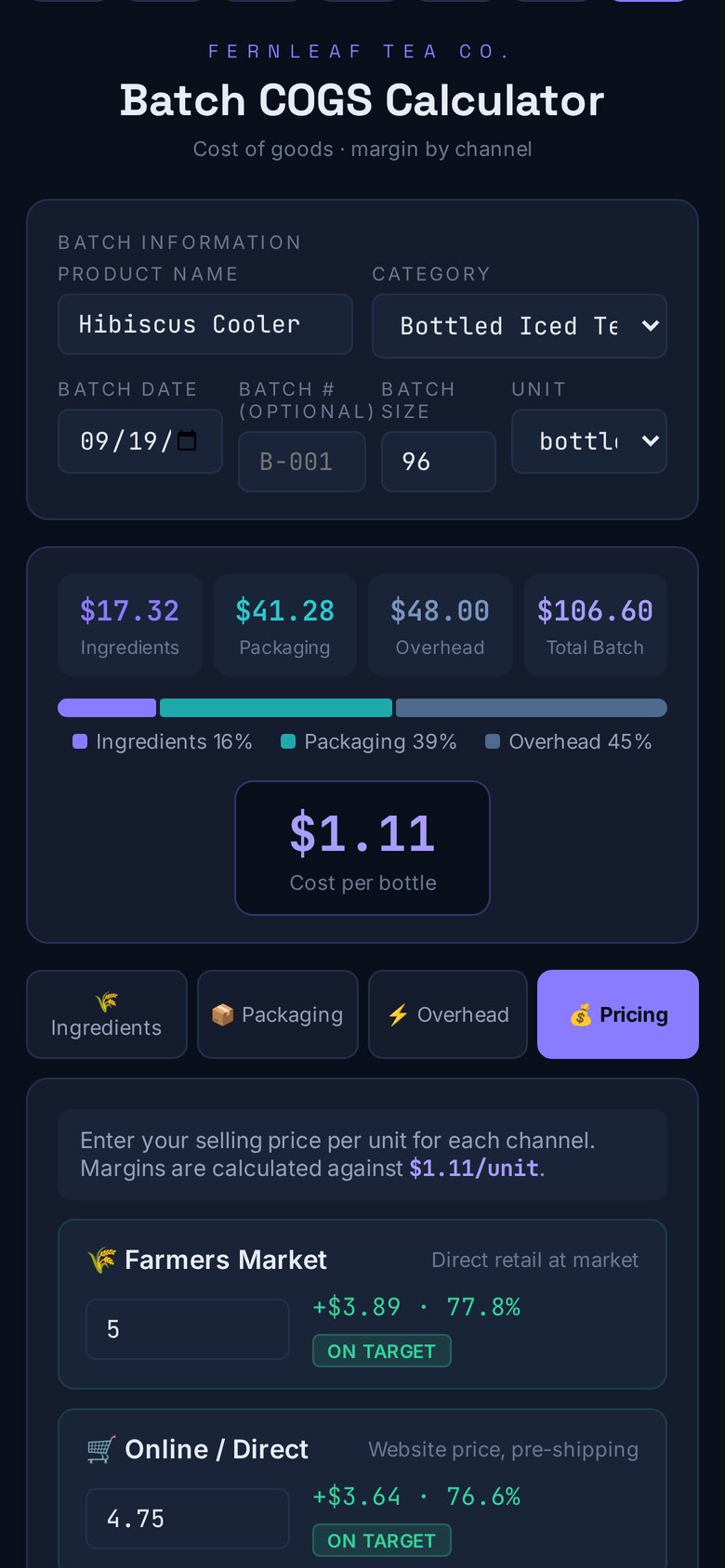
Cost a full production run — and what it really made.
Pull materials and packaging from your cost library, add overhead like labor and utilities, and see cost per unit and channel margins as you type. After the run, record actual output to compare it with plan.
- Materials, packaging and overhead in one view
- Planned vs. actual yield, with a running average
- Saved batches kept in your history
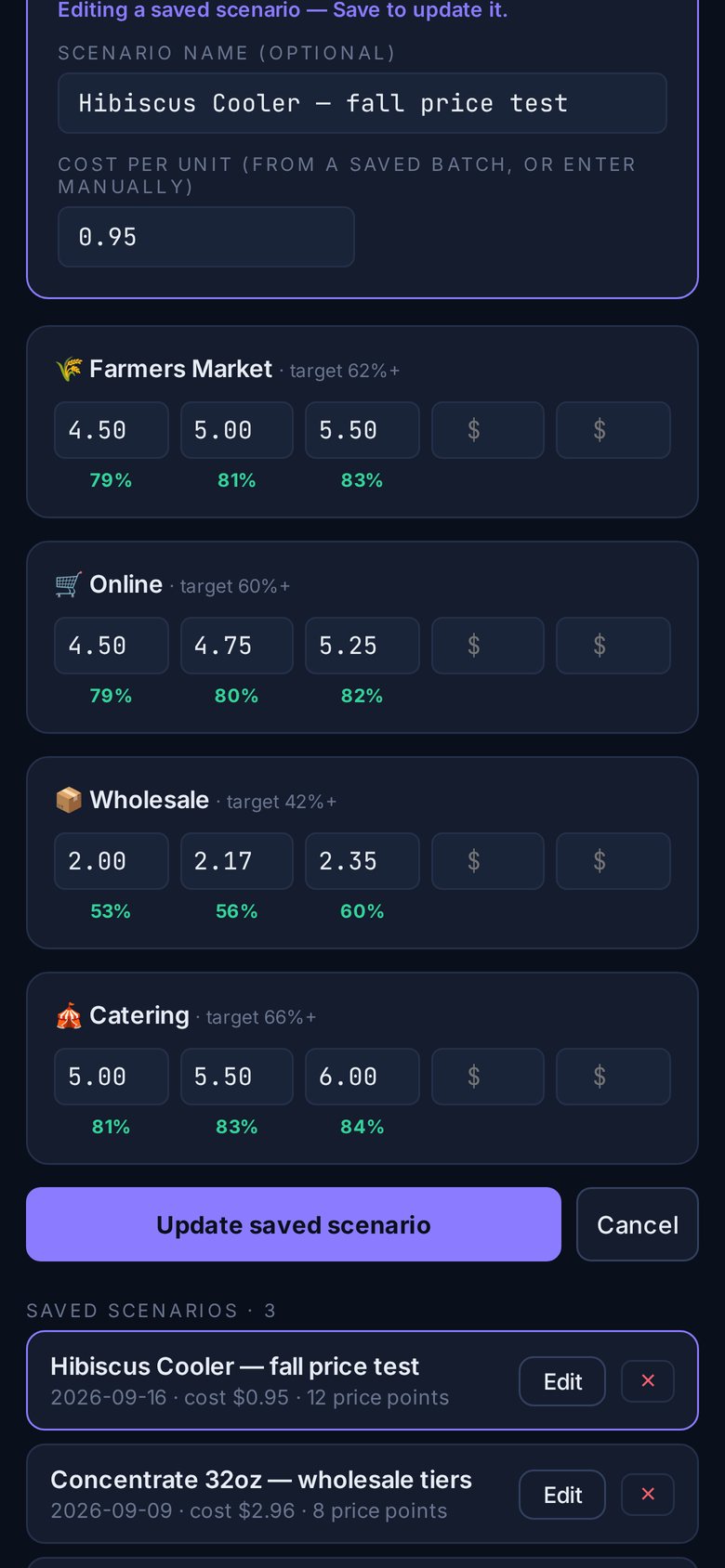
Test a price before you change it.
Try up to five price points in each channel against your cost per unit and see every margin instantly. Save scenarios and come back to compare.
- Margin shown under every price point
- Color-coded against each channel's target
- Saved scenarios to revisit later
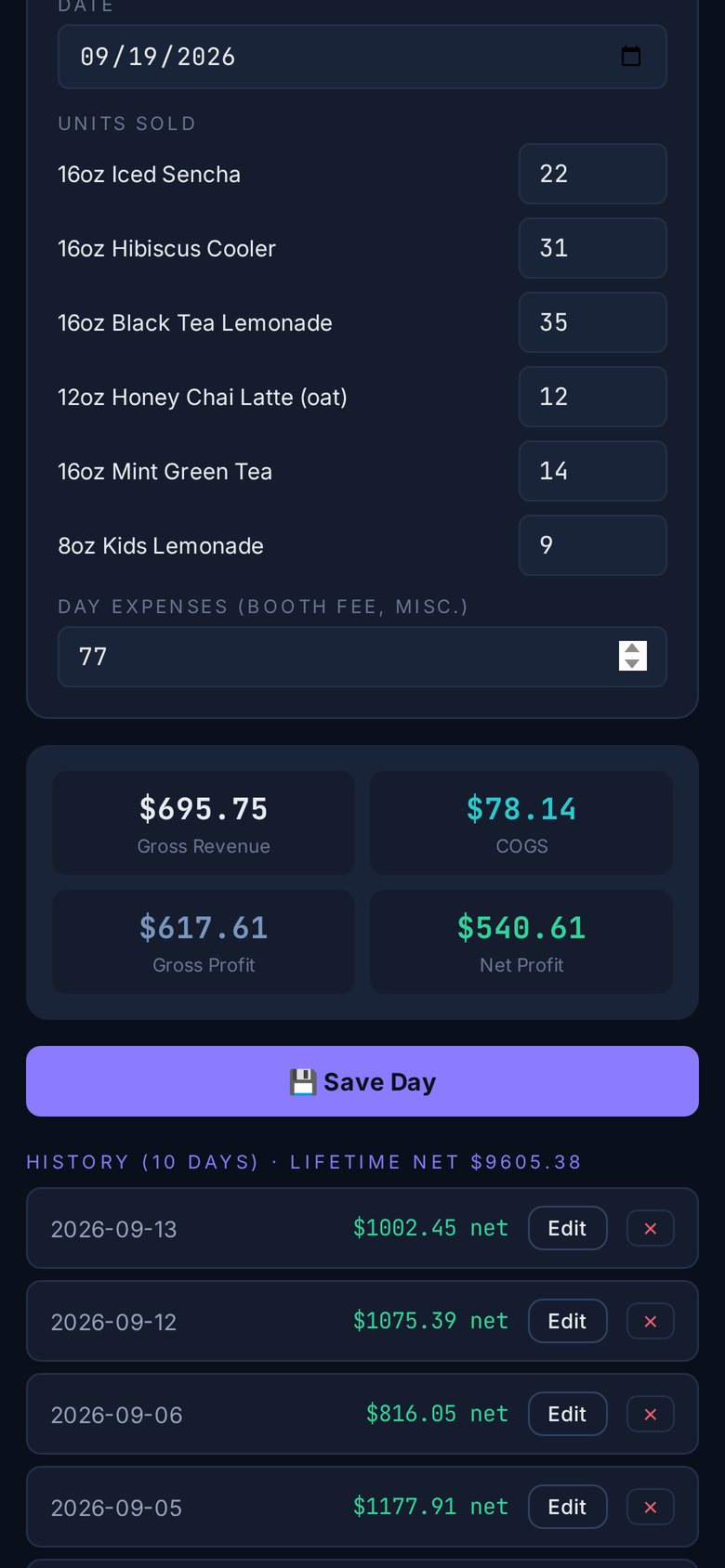
Know your profit before you pack up.
Cost every item you serve, down to the cup and lid. At the end of a market or event, enter what you sold and the day's expenses — revenue, cost of goods and net profit calculate instantly.
- Cost and margin for every menu item
- Profit for the day, not the month
- A running history of every sales day
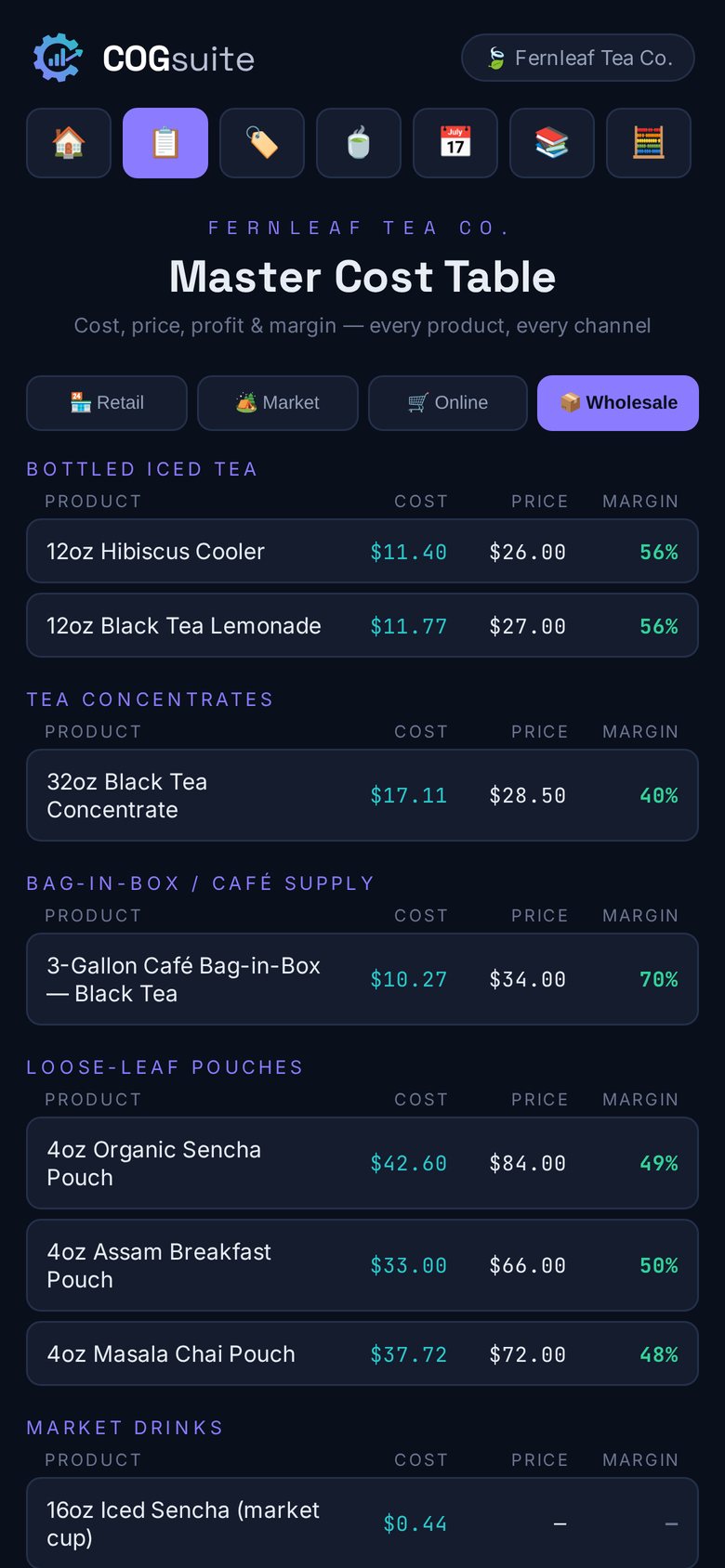
Every number in one place — and always yours.
See cost, price and margin for every product in a single table, and search every batch, yield run, price test and sales day. Your workspace is protected by a team passcode, saved to the cloud, and exportable as a full backup anytime.
- Master cost table by channel
- Shared with your team through one passcode
- One-tap full backup and restore
See it in action.
A walkthrough of COGsuite using a fictional sample business, Fernleaf Tea Co.
Built for the phone in your pocket.
Also works on a laptop. Swipe or use the arrows, and tap any screen to enlarge.
One app for cost, price and profit.
Cost libraryEvery material and package, with freight and tax built in.
Products & SKUsBills of materials with unit and case cost.
Master cost tableCost, price and margin for every product and channel.
Cost-change alertsProducts below target, with the price that fixes each.
Batch calculatorFull production-run costing with overhead.
Yield trackingPlanned vs. actual output for every run.
Price scenariosTest price points and margins by channel.
Menu costingCost and margin for every item you serve.
Sales day P&LRevenue, cost of goods and profit for the day.
DashboardSearch every saved calculation in one place.
Team accessOne shared workspace behind a team passcode.
Backup & exportDownload or restore a complete backup anytime.
Built for businesses that make what they sell.
If you buy materials, make products and sell them through one or more channels, COGsuite fits.
Questions, answered.
Who is COGsuite for?
Businesses that make what they sell — from food and drink to bath and body, candles and crafts — especially those selling through more than one channel, like retail, markets, online and wholesale.
Will it work for my industry?
The cost library, products, channel pricing, cost-change alerts, batch costing and price scenarios work for any physical product. Yield tracking and menu costing are designed for food and drink.
Do I need to be good with spreadsheets?
No. You enter what you bought and what goes into each product. COGsuite does the math — and redoes it whenever you update a cost.
Does it work on my phone?
Yes. COGsuite is designed phone-first, works on desktop, and can be added to your home screen like an app.
Where is my data stored?
In your workspace's cloud database, with a copy cached on your device. You can download a complete backup at any time.
Can my team use it?
Yes. Everyone with your workspace passcode sees and updates the same data.
Is it available now?
COGsuite is in early access. Join the list below and we'll let you know when your invite is ready.
Is the data on this page real?
No. Every screen shows Fernleaf Tea Co., a fictional sample business created for this demo.

Get early access.
Know your true cost and price with confidence. Leave your email and we'll let you know when your invite is ready.